
Mail, calendar and contacts. In one calm window.
Works with standard mail servers over IMAP, and calendars and contacts over CalDAV and CardDAV.
Your day
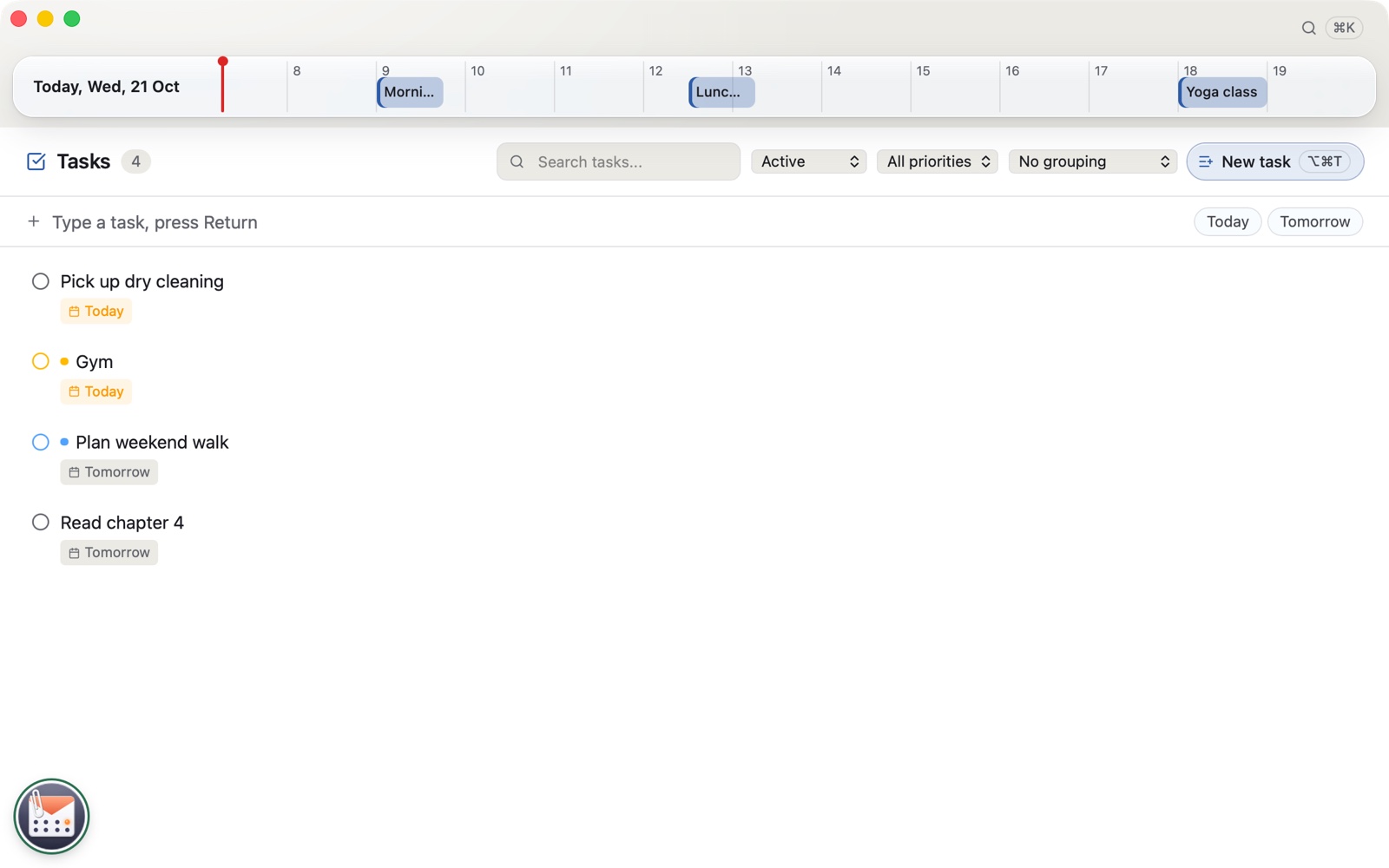
Today's events sit in a slim ribbon above your mail, with a line for the time now. Click one to open it. ⌥⌘R shows or hides the ribbon.
£29.99 one purchase, no subscription
Coming to the Mac App Store
Calendar
Type it, and it's there.
Type a line in plain words and the event is made, on the right day at the right time.
Undo send
Changed your mind? Undo.
Every mail waits a moment before it goes, with Undo right there.
Sections
What needs you, first.
Mail sorts itself into sections that learn from your moves. No AI.
All features
Everything SolveInbox does today, group by group.
- 9 features
Mail
- Conversations grouped into threads
- One inbox, Sent, Drafts and Archive across accounts
- Sections for receipts, notifications and newsletters, learnt from your moves
- Snooze, pin, mute, and flag with a due date
- A reminder when nobody replies
- Clean up by sender, size or age
- Undo with ⌘Z, on the server too
- Print, or save as PDF
- Opens winmail.dat and .msg attachments
- 8 features
Writing
- Paragraph styles, spacing and indents
- Paste in your own style, as plain text or as it was
- Signatures, templates, several From addresses
- Undo send and scheduled sending
- A warning before you forget an attachment
- Read and delivery receipts, answered your way
- OpenPGP encryption and signing
- Drafts saved every few seconds
- 8 features
Calendar
- Today's events in a ribbon across the top, with a line for the time now
- Day, work week, week, month and agenda
- Type “Lunch tomorrow 1pm” and the event is made
- Repeating events
- Answer invitations in the mail, with clashes shown
- Join online meetings in one click
- Import .ics files and calendar links, after you confirm
- Today's events above your mail
- 4 features
Contacts and tasks
- People synced over CardDAV
- Addresses suggested as you type
- Sender pictures only from your own contacts
- Tasks with priorities, attached to a conversation
- 5 features
Search and keyboard
- Search words like from:, has:attachment and is:unread
- Search one folder or every account, older mail on the server too
- ⌘K for mail, people, events and actions
- Saved searches
- Single-key shortcuts, yours to change
- 7 features
Privacy and safety
- Web pictures blocked until you allow a sender
- A report of trackers in each mail
- Suspicious links checked, at the level you choose
- Sender checks shown as badges
- Report phishing, block senders
- Passwords in the Mac's Keychain
- No telemetry and no update check
- 7 features
Rules and storage
- Rules written as sentences, with Try it
- Server rules where your server supports them
- Make a rule from a mail
- A full copy of your mail on this Mac, if you want it
- Folders kept only on this Mac, export as .mbox
- Works offline, catches up when you are back
- One-click unsubscribe
- 6 features
Accounts and everyday touches
- IMAP and SMTP, with server settings found for you
- Calendars and contacts over CalDAV and CardDAV
- New mail almost at once
- Notifications, or only from the people who matter
- Seven accent colours, dark mode and text sizes
- Your default mail and calendar app
At a glance
What SolveInbox needs, and what it never does.
The facts
- Solverise account
- None
- Connects to
- Only your own mail servers
- Data collected
- None
- Passwords
- In the Mac's Keychain
Requirements
- macOS
- 13 Ventura or later
- Mac
- Apple silicon and Intel
- Languages
- English
£29.99 one purchase, no subscription